

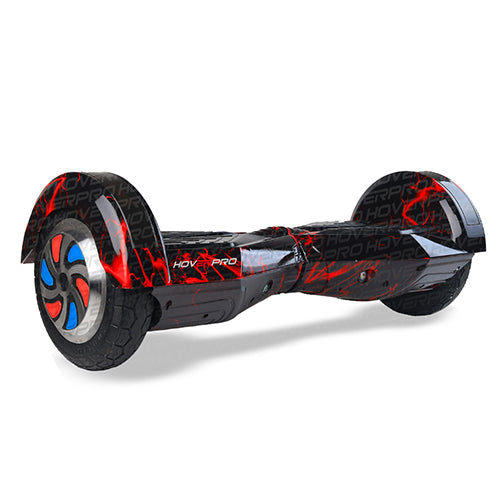




How to Calibrate and Reset a Hoverboard: Step-by-Step Guide

Is your hoverboard drifting to one side, wobbling when riding or just not balancing correctly? These are some of the more typical problems hoverboard users have, and in many cases you can fix them without replacing any parts.
Hoverboard calibration is an important skill that every rider should learn as part of maintenance. This gyroscope reference point can get messed up, and a thorough hoverboard reset can fix it. This helps your self-balancing scooter stay stable and respond properly to your motions. Often, manufacturers propose recalibration when the board develops balancing problems or after certain impacts.
In this post we’ll talk about whether your hoverboard needs calibration, how to properly reset it and what to do if the problem persists.
What is the calibration of a hoverboard?
A hoverboard uses built-in gyroscopes and tilt sensors to detect your body position and maintain balance. The control board captures the precisely level position during calibration as its reference point.
If this reference no longer applies, the hoverboard may
- Stand still and lean forward or backward
- Change course or direction.
- Shake on startup
- Feel unsteady on the ride
- React unevenly to foot pressure.
A proper self-balancing scooter calibration just tells the hoverboard what “level” is.
What Are the Signs That Your Hoverboard Needs Calibration?
A hoverboard reset should be performed if you detect any of the following:
- Hoverboard veers off to the side
- Hoverboard not levelling properly
- Unequal response for left and right wheels
- Startup sound constant beeping
- Flashing warning lights
- The board seems shaky even on level ground
- A hoverboard acts differently after being dumped or carried
These symptoms frequently imply the gyroscope needs recalibrating and not a hardware breakdown.
Before You Begin
Before you calibrate your hoverboard:
- Charge the battery fully (or have at least 50% charge).
- Set the hoverboard down on a hard, completely flat surface.
- The two footpads must be level.
- Take all weight off the board.
- Do not touch/move the hoverboard during calibration.
Using an uneven surface may result in an improper calibration.
How to Calibrate a Hoverboard (Full Guide)
Wondering how to calibrate a hoverboard? Here are some simple steps to follow.
Step 1: Power Off Hoverboard
Use the power button to turn the hoverboard off completely.
Wait a few seconds until all indication lights are off.
Step 2: Put It on a Flat Surface
Place the hoverboard on the following:
- Tiles
- Marble floor
- Floor wood
- Cemented floor
Don’t:
- Flooring: Carpet
- Lawn;
- Uneven asphalt
Both pedals should stay precisely horizontal.
Step 3: Hold Down the power button
Press and hold the power button for 5-10 seconds or so.
Depending on the model, you will see the following:
- beeping noise
- LED Blinking
- Together
This signals calibration mode has begun.
Step 4: DO NOT TOUCH THE BOARD AND WAIT
Do not touch the hoverboard at all for roughly 20-30 seconds.
This is a time when the internal sensors are recalibrating
You shall not:
- Raise the board
- Hit some buttons
- Stand on it.
Step 5: Turn off the power again
When the flashing ceases (or after around 30 seconds), push the power button once to power the hoverboard off.
This saves the new calibration settings.
Step 6: Restart your hoverboard.
Switch the hoverboard back on as usual.
Now the pedals should self-level as they should.
Step 7: Take a careful test ride.
Normal riding: Before
- Wear a helmet.
- Test on a smooth surface or inside.
- Go through it slowly.
- Turn left, turn right
- Make sure both wheels respond similarly.
If everything seems to be in balance again, the calibration was successful.
How to Factory Reset a Hoverboard
Many folks wonder if reset and calibrate are different.
For most hoverboards, a hoverboard reset is just the calibration process above.
Resetting clears the old gyroscope reference and saves a new level position.
Some versions may also come with mobile apps that allow calibration; however, the basic power-button method works for most hoverboards. Consult your model manual if you have one.
Why Does My Hoverboard Lean on One Side?
Hoverboard dragging to one side is a very common problem people look for.
Possible reasons include the following:
Mis-calibration
That is the most prevalent cause.
uneven position of footpad
If one pedal is slightly higher than the other at start-up, the hoverboard can wander.
Low battery charge
Motor performance is dependent on the battery voltage.
Charge it, then troubleshoot.
Wheeljam
Check both wheels for:
- Grime,
- Little stones
- Debris
- Damaged tires
Gyro or sensor problem
Recalibration may not help—you may have to replace one of the gyroscope boards or sensors.
Why won’t my hoverboard balance?
If your hoverboard is not balancing after calibration, the problem could be due to:
- gyroscope not working
- Motherboard fried
- Loose internal connections
- Impact damage.
- Water Contact
- Engine failure
Usually these problems require professional diagnosis, not just a simple recalibration.
Typical Calibration Errors
Avoid these mistakes:
Calibration of Carpet
Soft surfaces do not allow for accurate sensor alignment.
Stand up on the board
Do not apply pressure during calibration.
Hoverboard movement
Any movement during calibrating will give false data from the sensors.
Warning lights ignored
If the LEDs continue to flash after calibration, this may be a hardware fault, not a calibration problem.
When should you recalibrate?
Calibration is not required very often
Recommended following
- Letting go of the hoverboard
- Transport over large distances
- Internal parts replacement
- soft reset
- Current balance problems
- Swap wheels
Routine riding does not generally require recalibration.
When to contact a repair center?
If calibration doesn’t work after a few careful efforts, it’s safest to call for professional servicing.
If your hoverboard calls for a specialist, help with the following:
- No turning around
- beeping on and on
- Error lights flashing remain
- One wheel doesn't move
- Shaking like a bastard
- burning smell
- Has water damage visible
HoverPRO can get your self-balancing scooter repaired with original spare parts of various brands by qualified technicians.
How to Correctly Balance Your Hoverboard
Some preventative care can help a lot.
- Store in a dry location indoors.
- Do not ride through water.
- Charge with original charger.
- Do not load it with more than the recommended weight.
- Avoid hard hits.
- Keep the tires clean.
- The board should be calibrated each time it begins to drift.
These simple routines can increase your hoverboard’s performance and life.
Common Questions
Can a calibration solve all hoverboard problems?
No, calibration is only for correcting sensor alignment concerns. If the hardware is damaged, e.g. the gyroscope, motors, batteries, or the control board, it has to be repaired.
How long does it take to calibrate a hoverboard?
The whole operation normally takes under two minutes.
Can I calibrate my hoverboard more than 1 time?
Yes. If the first try doesn't cure the issue, you can try again without any worries; just make sure the board is level. Some support communities even suggest repeating the operation numerous times if the calibration problems are intractable.
Why would my hoverboard keep going to the left?
The calibration is probably off, the footpads aren't level on the board, the wheels are sticking, or the gyroscope is bad.
Are calibrations safe?
Yes, as long as the hoverboard is on a flat surface and there is no weight on it when this is done.
Summary and Conclusion
Knowing how to calibrate a hoverboard can save you time, money, and unwanted repairs. A hoverboard reset is frequently the fastest fix if your board is wobbling, drifting, or showing an indication of imbalance.
If your self-balancing scooter calibration does not fix the problems, like the hoverboard pulling to one side or the hoverboard not being balanced, it’s better to cease driving and get the device checked by certified technicians. An improperly working hoverboard is putting performance and safety at risk.
With appropriate care, regular calibration, and cautious riding behaviors, your hoverboard may provide a smooth, stable, and fun riding experience for many years to come.